Skip to content

Phone system / Your calling setup

AI voice agents
for Aircall.

AI-answered calls for your Aircall team, import rolling out.
Phone systemImport rolling out
PyAI / WorkspaceActual product
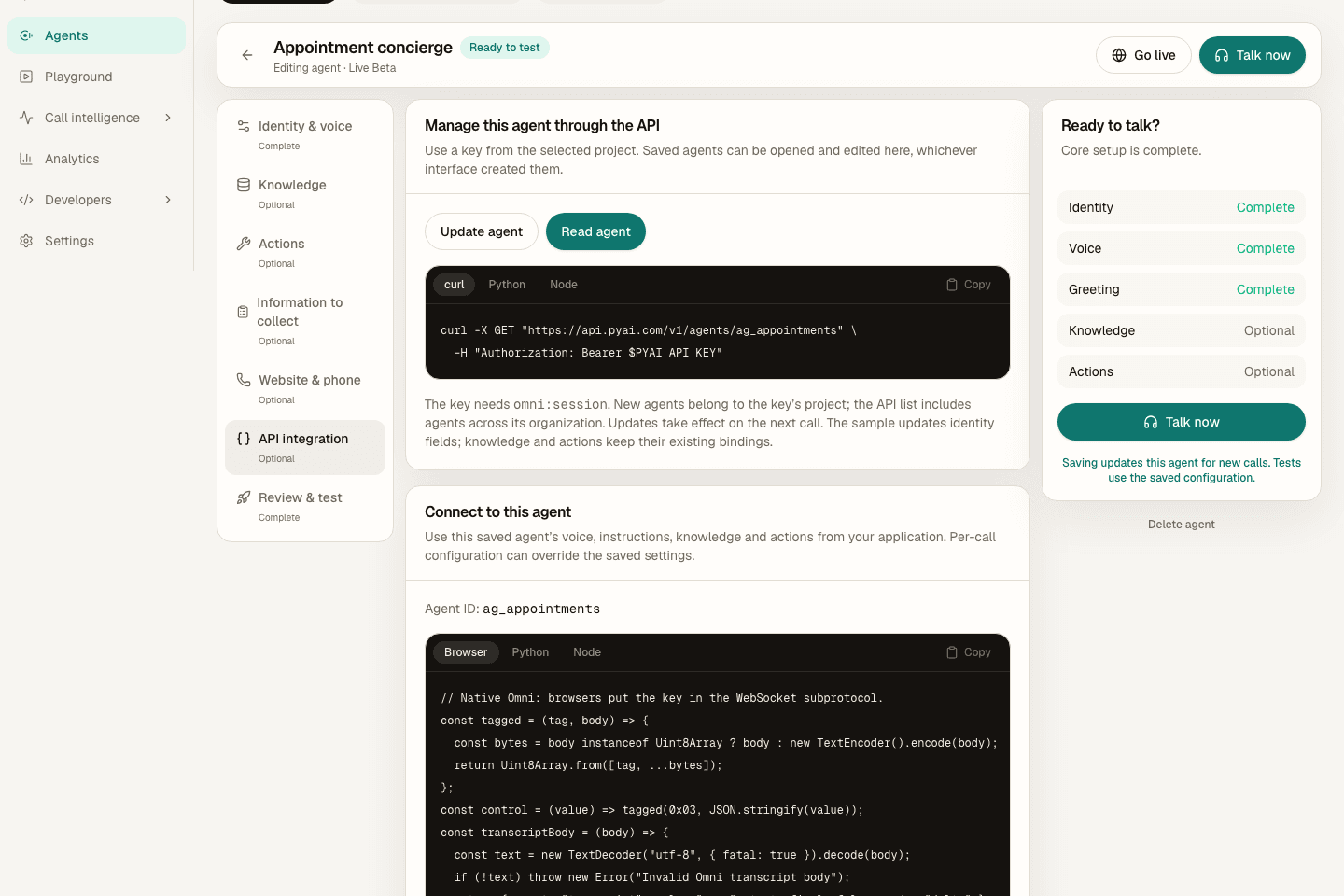
Actual PyAI Console showing the Agents API integration panel with sample workspace data
The actual PyAI Console API panel, shown with sample data. Connect it to your own calling workflow.Explore Omni

Keep the parts that already work

Two ways in.
Choose by call type.

Forward the call types AI should own to PyAI and keep Aircall for your humans. Aircall import is rolling out now, so completed-call summaries and QA for the human side are close behind.

Path 1: Forward calls to PyAI

Keep everything exactly where it is. PyAI provisions a number (or takes your SIP trunk), you point your calls at it, and a PyAI agent answers with your greeting, your knowledge, and your tools. Your platform keeps billing you for lines; the AI layer lives at PyAI.

  1. 01In the PyAI console, provision a number (Phone) or bring your own SIP trunk.
  2. 02Build the agent: pick a voice, write the greeting, connect your knowledge and tools, then call it yourself to test.
  3. 03Set the forward on your side using the hint below, aimed at the PyAI number.
  4. 04Place one real call. The agent answers; the recap and QA land in PyAI and any tools you connected.

On Aircall: Aircall Dashboard: number call distribution and forwarding rules, aimed at the PyAI number.

Path 2: Integrate via API

Import arrives with two-event coalescing, so late recording assets merge into the same call record.

  • Aircall import is rolling out now: one call stays one record even though Aircall sends it in two events.
  • Recordings refresh through the official Aircall API, so expiring media URLs never break an import.
How Aircall import works Explore the Omni SDK path

See the workspace behind it

Make the setup
your own.

Write the instructions, choose a voice and connect the knowledge and tools for the job. Then test the conversation before connecting it to your callers.

Explore Agents

Follow the real Console with a sample workspace, narrated by Aria, our Natural English voice.

Product tour
Actual Console UI · sample workspaceAria Natural · PyAI Speak

Start at the right depth

A useful first call.
Room to build from there.

Call forwarding, API integration and completed-call import are separate paths. Choose the one that fits the workflow you want to run first.

Start with forwarding

Send a selected call type to PyAI and keep your Aircall setup for the rest. Configure the agent, set the transfer path and test a real call before widening the route.

Add the API when it fits

Own more of the call flow or connect speech to your application. Hear and Speak support OpenAI-compatible shapes; Omni uses its native realtime protocol through the official SDK.

Keep import status clear

Aircall import is in certification. See the integration details for its current status; forwarding and direct API work are separate paths.

Before you connect the first call

Your platform.
A clearer way in.

Choose the calling path first, then check the current product and import requirements for your setup.

Do I have to leave Aircall to use PyAI?

No. Most teams start with call forwarding: Aircall keeps the lines and the bill, and PyAI answers the calls you point at it. If and when it makes sense, you can also build directly on PyAI's APIs or import completed calls.

What does the AI voice agent actually do on a call?

It answers in your voice and greeting, holds a real conversation at human pace, uses your knowledge base and tools, and can transfer to a human, collect details, or end the call politely. Afterward you get the recap and, with Trace, a compliance scorecard.

Is call import from Aircall available?

It is rolling out right now: we are proving it with real Aircall accounts first, then it opens for everyone. Call forwarding works today regardless.

What does this cost?

You pay PyAI for the calling and call intelligence you run (per-minute calling, Recap or AMD usage); integrations carry no extra fee. Your existing platform bills you as usual for the lines you keep.

Put a voice agent on your Aircall calls.

Sandbox keys never bill. Test the workflow, then fund a live key when you are ready for production traffic.