Voice AI, built for real conversations
Turn a voice
into an outcome.
Natural voices. Responsive agents. A clearer view of every call. Build the conversation your customers deserve.
Explore first. Get a sandbox key when you’re ready to build.
APPOINTMENT BOOKING
A little conversation. A real possibility.
“Could I book an appointment for Thursday?”
“Of course. Would morning or afternoon work better?”
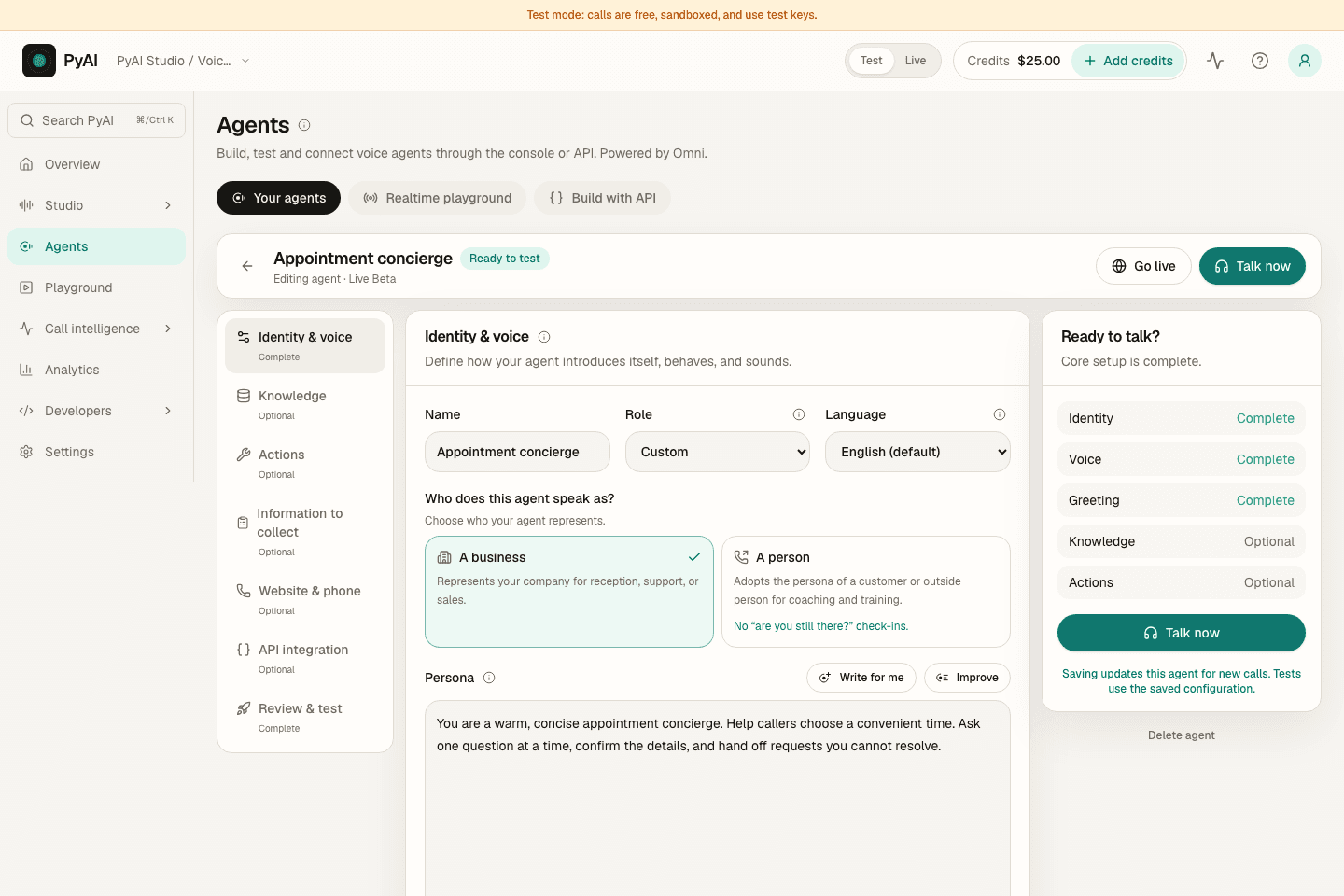 Now see the actual product.Console tour · sample data
Illustrative workflow; no live call.
Meet your new voice workspace
A little setup.
A lot of possibility.
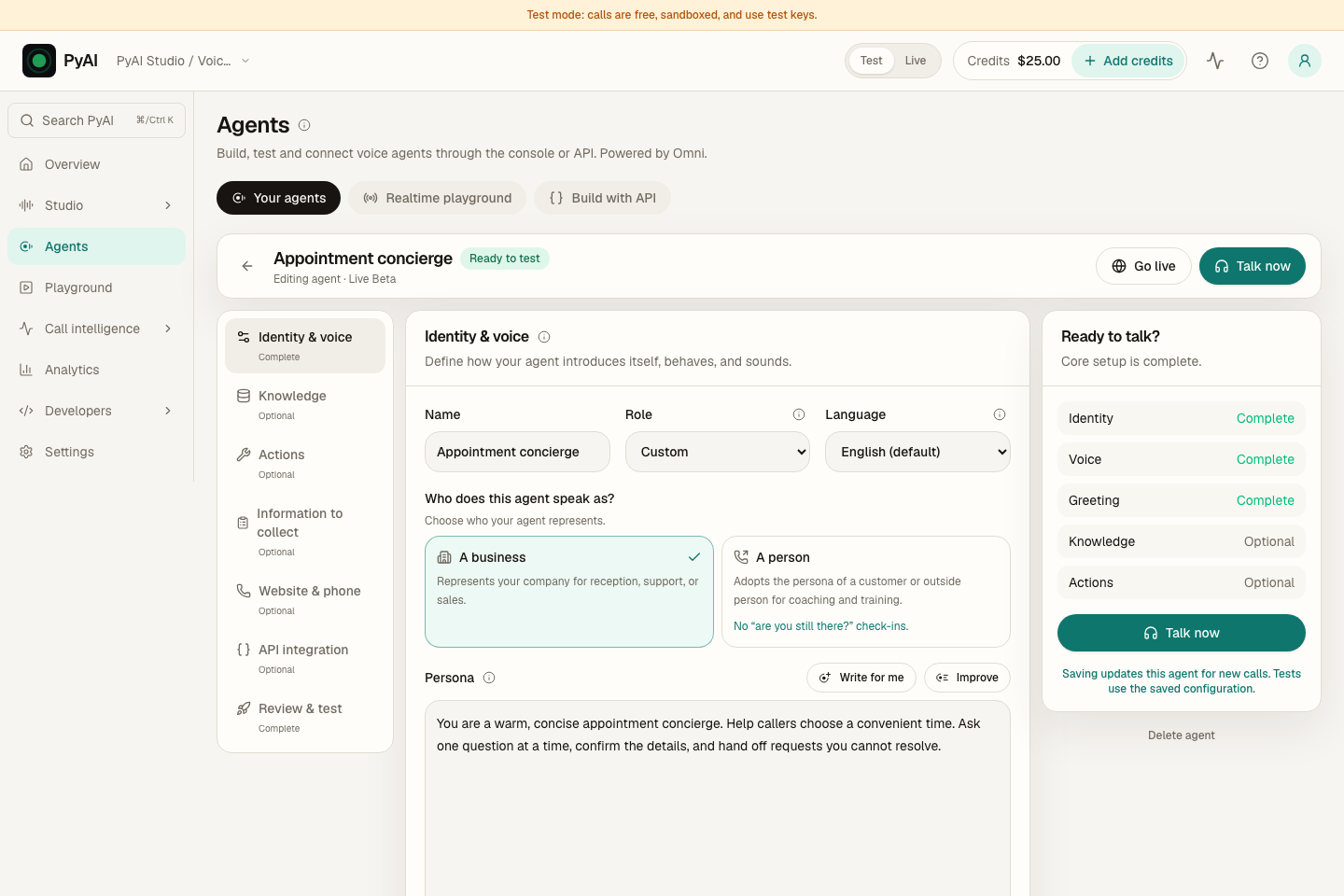
Write your agent’s instructions, choose its voice, and move into the realtime Playground. Here’s what that actually looks like.
A short, voiced look inside the agent workspace.
Meet AgentsThe best way to understand voice AI
Don’t just watch.
Have a conversation.
Ask a question. Change your mind. Hear how Eva responds. Our browser agent runs on the same Omni runtime you can build with.
Talk to Eva in the browser, same Omni agent as the demo line.
Starts only when you choose. Microphone access required; calls may be recorded.
Or call +1 (252) 888-7924A little direction.
A different feeling.
Hear three recorded passages from Cast, with different delivery directions.
“The city had forgotten what silence sounded like.”
Recorded Cast output · transcript shown above
Your agent. Your way.
Give it a voice.
Make it your own.
A useful agent starts with your business. Set the instructions, choose a voice, connect your tools, and test the experience before taking it live.
- Instructions and business knowledge
- Stock voices or your own voice
- Tools that connect to your workflow
A whole conversation, connected
Build the part you need.
Or the whole experience.
Speak + Cast
Speech that sounds like you.
Find a voice. Shape its delivery. Make every word feel right.
Agents + Omni
An agent that can take it from here.
Bring your instructions, knowledge and tools into the conversation.
Trace + Recap
Clarity after the conversation.
Turn recordings into useful summaries and reviewable evidence.
Built for builders, too
From “what if”
to your first request.
Try a speech command right here. Then use our SDKs, docs and configurable examples to build it into your application.
Your first voice command.
Edit the sentence in quotes, then run it. No setup needed.
A few useful answers
Good questions.
Clear answers.
What is PyAI?
PyAI is the AI stack for phone calls. Hear and Speak are low-latency, high-quality speech APIs for streaming and async jobs. Agents brings voice agent building and testing into one workspace, through the UI or API, powered by the Omni realtime runtime. AMD, Trace, Recap, and Cast sit on the same stack.
How fast is PyAI on a phone call?
Omni is about 390 ms median voice-to-voice in-region, at human conversational pace. Hear's first partial is about 200 ms in-region and revisable. These are our measurements, not an SLA.
Is PyAI OpenAI-compatible?
Yes. Point your OpenAI SDK at https://api.pyai.com/v1 with your PyAI key. Transcription and speech keep the same request and response shapes, and errors come back in the OpenAI envelope.
How much does it cost?
Hear is $0.001/min. Omni API is $0.05/min for speech + brain. Agents is Live Beta at $0.08/min. Managed telephony is a separate $0.01/min. Sandbox keys never bill; live usage requires available credit.
How does PyAI compare with Vapi?
PyAI Omni is $0.05/min. Managed telephony is $0.01/min separately. Vapi advertises about $0.05/min as a platform fee; all-in typically lands around $0.10-$0.31/min once you add STT, an LLM, TTS, and telephony.
How do I start?
Get an API key. Sandbox keys never bill and need no card. Point the OpenAI SDK at https://api.pyai.com/v1, or talk to Eva on this page. A live key needs credit when you go to production.
Is PyAI built for telephony?
Yes. Hear is tuned for 8 kHz call audio with a ~200 ms first partial (in-region), and Omni runs phone agents at human conversational pace, about 390 ms median voice-to-voice in-region, with barge-in.
Make your next conversation count
Give your idea
a voice.
Sandbox keys never bill. Live usage requires available credit.