For teams / Voice AI use cases
Outbound
qualification
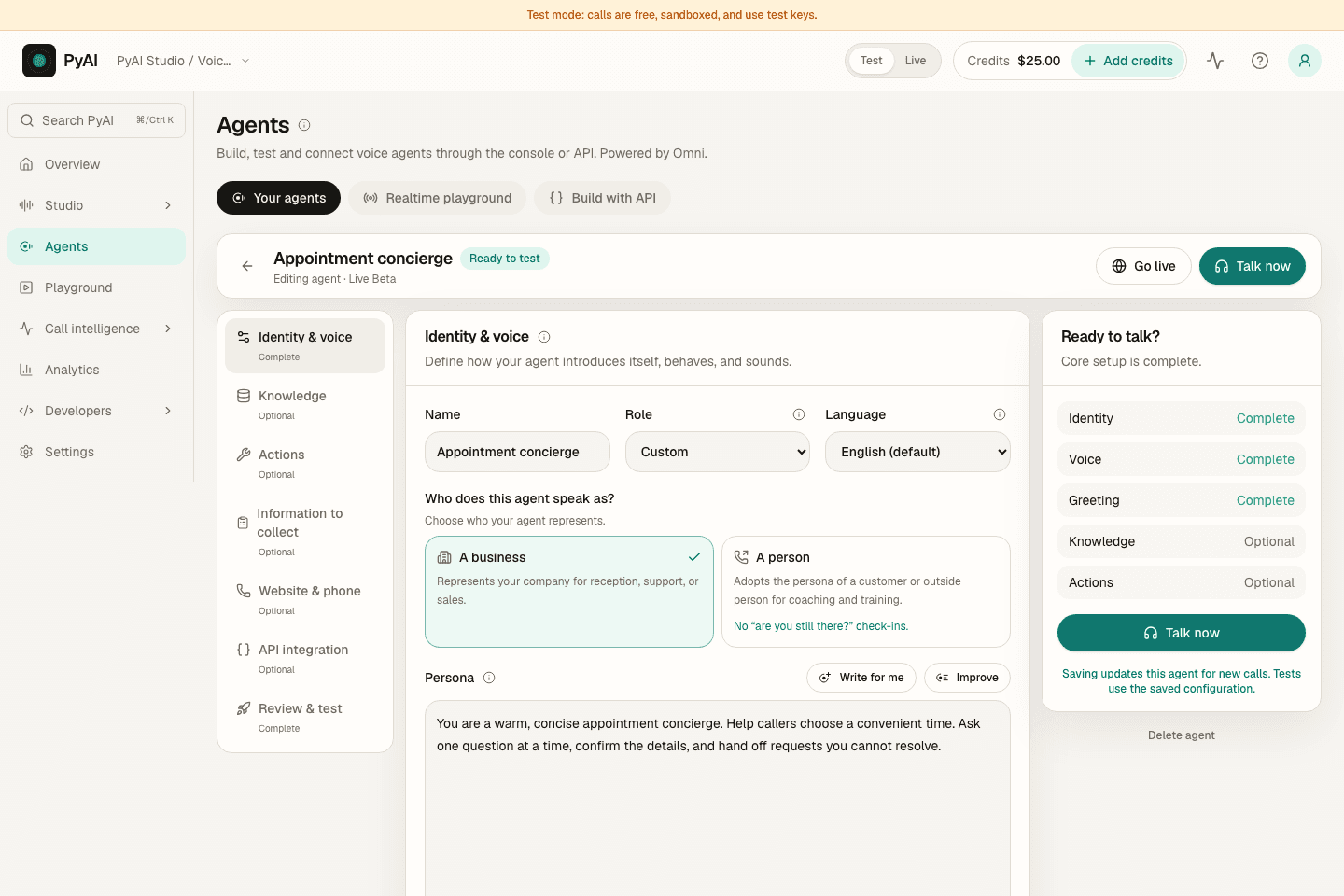
Run friendly outbound calls that qualify, capture answers, and hand off the hot ones.
A practical way to start
A few clear steps.
One useful workflow.
Connect the pieces for this use case, then test the full experience with the calls, recordings or text your users will bring.
- 01
Script the goals
Give the agent its objectives and the fields to collect; it adapts the conversation to get them.
- 02
Capture to your CRM
A webhook tool writes answers straight into your system as the call happens.
- 03
Transfer the winners
Warm-transfer qualified leads to a human the moment they're ready.
See the workspace behind it
Make the setup
your own.
Write the instructions, choose a voice and connect the knowledge and tools for the job. Then test the conversation before connecting it to your callers.
Explore AgentsFollow the real Console with a sample workspace, narrated by Aria, our Natural English voice.
The right part of the voice stack
Built around your job.
Powered by PyAI.
Explore the product behind each part of this use case, including its controls, API examples and integration requirements.
Before you take it further
A little more detail.
A clearer next step.
Start with a sandbox key and a representative input. Review the result before widening the workflow.
How does PyAI support outbound qualification?
Use Omni to place outbound calls that ask your qualifying questions, capture structured answers via tools, and transfer qualified prospects to a rep in real time.
What does it cost to test this use case?
Sandbox keys never bill, so you can try the product before sending funded live traffic. Live usage requires available credit and uses the rates for the products in your workflow. See current pricing and account terms before a production rollout.
Can we keep our existing application?
Yes. Hear and Speak support OpenAI-compatible request shapes. Omni uses its native realtime protocol through the official SDK. You can also configure a managed Agent visually and connect the knowledge and tools your business already uses.
How do we keep the experience useful in production?
Give the agent clear instructions and business content, connect tools for real actions, and define when it should reach a human. Test with representative calls before a wider rollout. Use Trace and Recap where the workflow needs reviewable findings, summaries and follow-up.
Put the idea into motion.
Sandbox keys never bill. Fund a live key when you go to production.